
The Quick Pay feature allows customers that know their account number and amount they want to pay to simply make the payment. It does not require the use of an Online Profile (no need to login) and can be used side-by-side with customers that have previously established Online Profiles. This means that sometimes the customer can login and view their Account Summary and Billing History but can also, some other times, simply make a payment using Quick Pay.
Quick Pay asks the customer for an account number which is then used to make sure the account number exists in your system so that iWEB MS is not sending you payments that have invalid account numbers. If it does not exist then an error will be returned to the customer and they can retry. If the account number does exist then the customer is then presented with the payment screen and they can make their payment. There are some exceptions:
- Meter locked? If the customer's meter is locked in inHANCE then the customer will not be able to make a payment using Quick Pay. The customer alternately login to their Online Profile (or create one if not already created) and be subject to any payment rules you may have in place for locked meters.
- Already a pending payment on the account? Quick Pay can detect if there is a payment pending in inHANCE that you have yet to post. Quick Pay will present the customer a simple message that says, "There is already a payment pending on this account, are you sure you want to make your payment?" Customer can then continue and make a payment or simply cancel. This is useful in the event that two people pay on an account and person A never communicated to person B that they made a payment earlier that day, specifically on a due date for example.
There are few scenarios that make Quick Pay very handy:
- Due dates. Customers that tend to wait until the last minute to make their payment now have a simple way to do so. Often times these customers have also misplaced their login information and since they are waiting until the last minute (often after you've closed for the day) and are unable to work their way through the password reset feature .. now they can just make their payment.
- Roommates. Roommate A has created an online profile and until now would be the only person that could make a payment since there can only be one Online Profile per account number. Well now Roommate B can use Quick Pay to make his/her half of the total payment.
- Frustrated customer. Customer has tried over and over and simply can't fix their Online Profile login and therefore is unable to make the payment. You have tried helping them by reminding them of their username, possibly even decoupling their Online Profile so that they can start over and still nothing is working. Quick Pay to the rescue: specify the account number and payment amount and the customer is now paid.
Quick Pay will NOT display to the customer the amount due or any account data (Account Summary, Billing History, etc.). This is by design for security reasons. Remember that this is effectively an anonymous payment, a one-way transaction. Because we are not verifying the customer as we do with Online Profiles we can not display account information. Doing so would allow phishing of customer data and we can't allow that.
Quick Pay was designed to give you the ability to give your customers an additional simple payment option. We have already turned this feature on for several utility companies that are already live with iWEB MS and it has been very well received ("I have had three customers tell me that it’s just what they wanted!").
If you would like this feature turned on please send us an email at support@transactionwarehouse.zendesk.com and we'll be happy to take care of it for you.
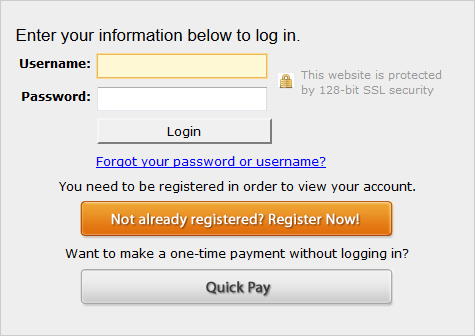
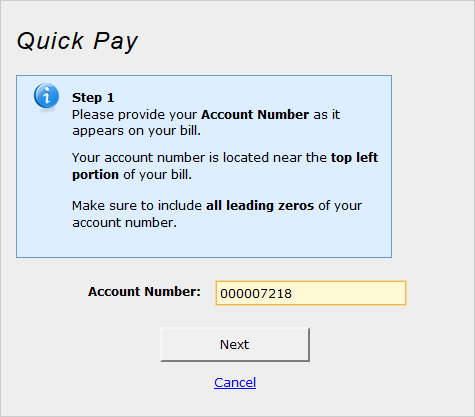
Here are some screenshots of the Quick Pay process ...
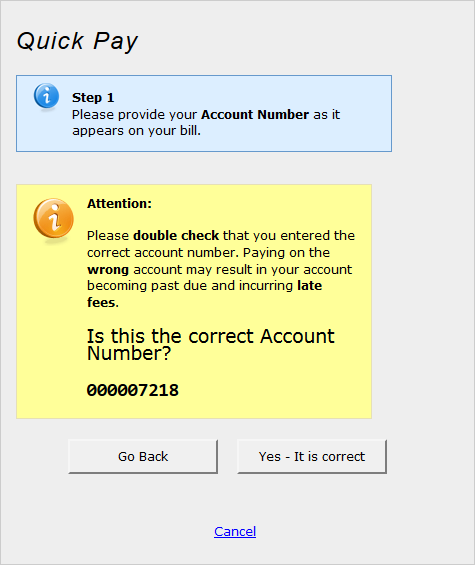
The above screen provides some insurance against customers entering the wrong account number.
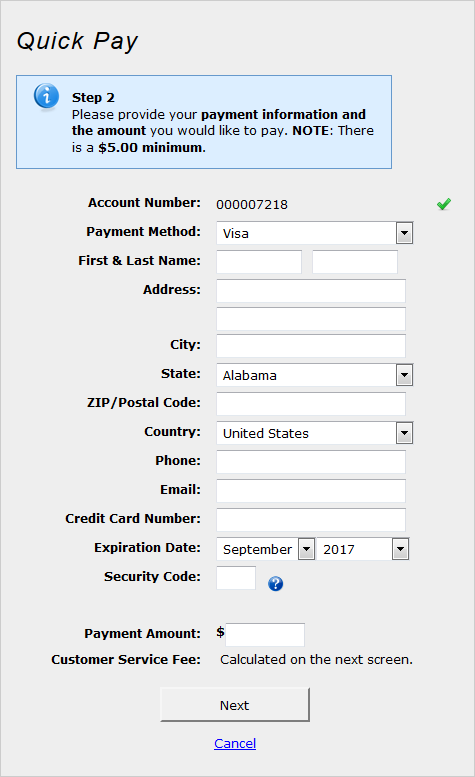
And on through a normal payment!
* Please note on the final payment screen above we are demonstrating Quick Pay for a utility that passes along a Customer Service Fee. If your utility does not pass along a fee then this field would simply be hidden.
Comments
0 comments
Article is closed for comments.